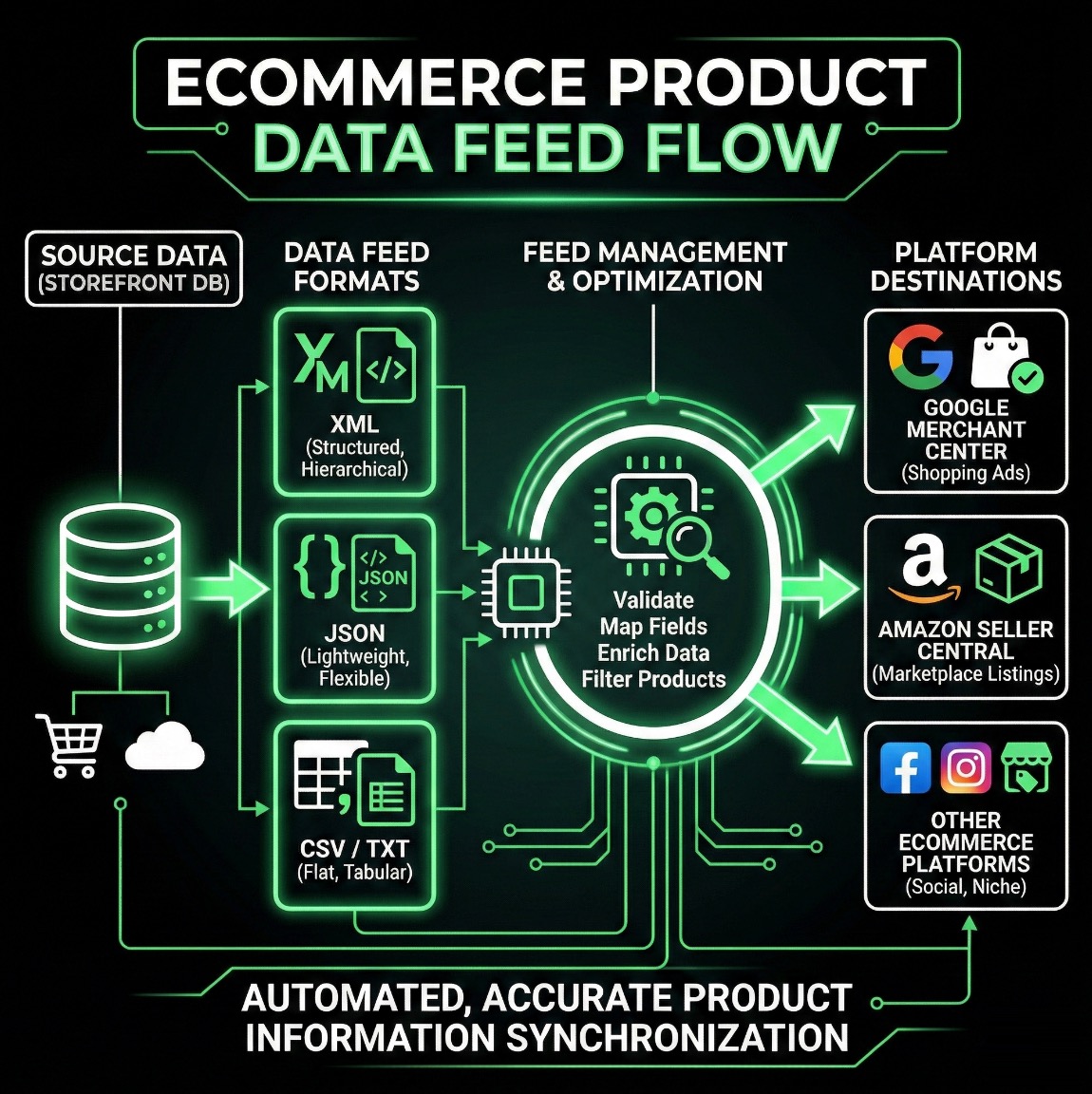
Discover how product feeds can supercharge your online sales by syncing your inventory across multiple channels effortlessly.
A product feed is essentially a structured file that contains detailed information about your products, such as titles, descriptions, prices, images, and other attributes. It's like a digital catalog that allows your products to be easily shared, displayed, and sold across various online platforms and marketplaces.
Think of it as the bridge between your e-commerce store's inventory and external channels like Google Shopping, Amazon, Facebook, or your own website. Instead of manually updating each platform, a product feed automates the process, ensuring your product data is consistent and up-to-date everywhere.
Product feeds help you:
If you're new to this, terms like XML or JSON might sound technical, but they're just different ways to format your product data. Here's a simple breakdown:
XML (eXtensible Markup Language) is a structured format that's widely used for product feeds. It's human-readable and flexible, making it ideal for platforms like Google Merchant Center or affiliate networks. Think of it as a tagged list where each product is wrapped in elements like <item>.
JSON (JavaScript Object Notation) is a lightweight, easy-to-parse format often used in modern APIs and web applications. It's great for dynamic websites or custom integrations because it's compact and works well with programming languages.
RSS (Really Simple Syndication) is similar to XML but designed for syndicating content like blog posts or products. In e-commerce, it's sometimes used for product updates or news feeds, allowing automatic distribution to subscribers or aggregators.
This is a specific type of feed tailored for Google Shopping. It can be in XML, CSV, or TXT formats and includes required attributes like GTIN, brand, and condition. It's essential for running Google Ads and appearing in search results.
Beyond these, you might encounter CSV (Comma-Separated Values) for simple spreadsheets, TXT for plain text, or even Excel files. These are easier for beginners but less structured than XML or JSON.
At 51 Exports, we simplify the process for merchants like you. Our platform at db.51exports.com allows you to upload your product catalog once (via CSV or other formats) and automatically generate custom feeds in XML, JSON, RSS, or Google Merchant Center formats.
Start with your existing product data.
Choose your format and channels.
Amazon, Google, your site, and more.
No coding required – our tool handles the technical details so you can focus on selling.
Sign up for a free trial and generate your first feed in minutes.